
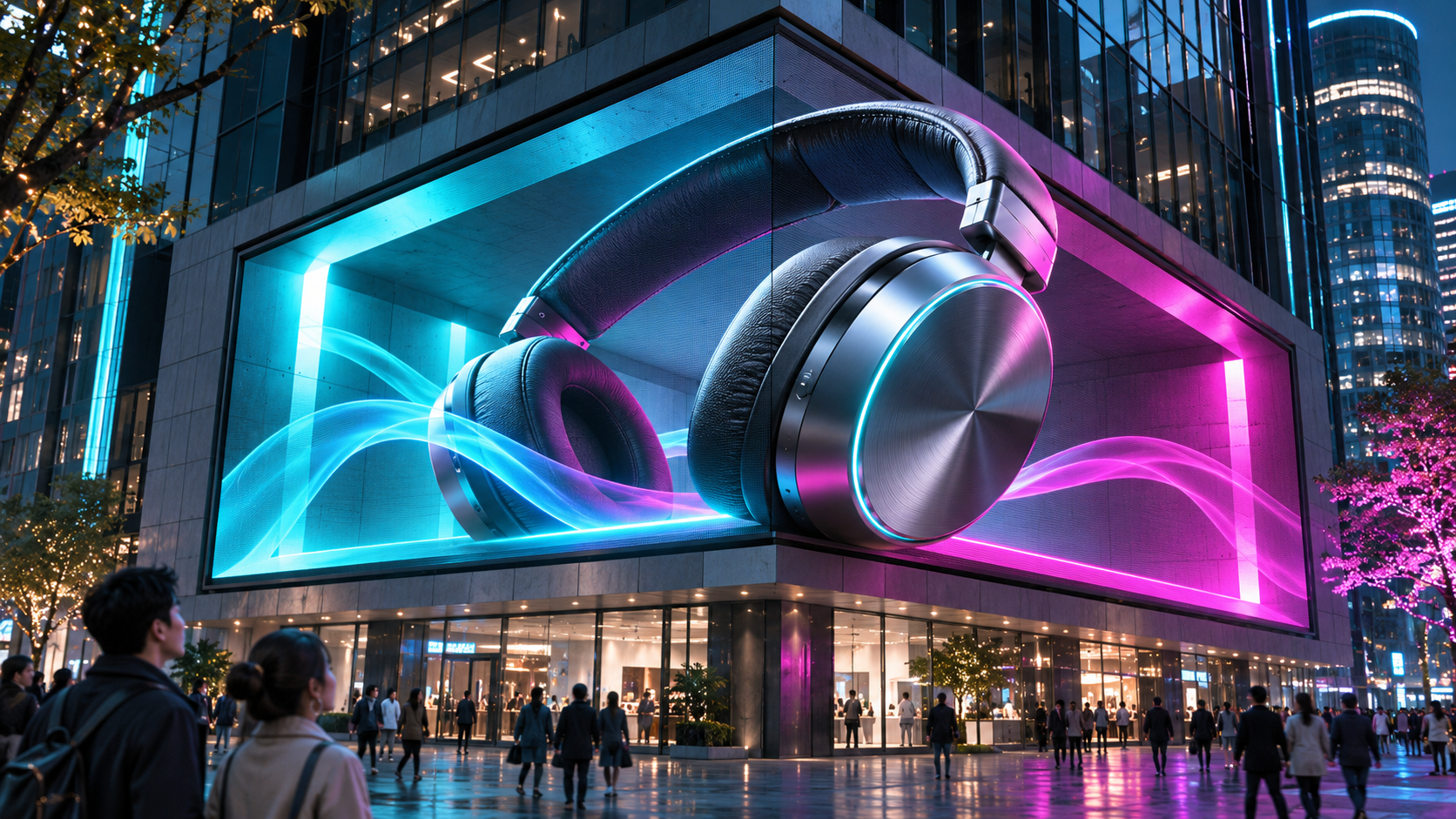
3D billboard advertising uses perspective, screen geometry and carefully placed visual cues to make content appear to leave an LED display. The effect is often called anamorphic because the image looks correct from one planned viewing position. Move too far away from that position and the illusion flattens or stretches.
What makes a 3D billboard different?
A standard outdoor video can be resized for several screens. An anamorphic 3D billboard must be built for a specific display. The production team needs the screen dimensions, pixel map, corner angle, safe areas, playback format and the location where most people will see it.
The strongest concepts use the physical screen as part of the scene. A box, room, window or frame gives the eye a stable reference. Objects can then cross that reference, cast convincing shadows or appear to move toward the viewer.
The production workflow
1. Survey the display
Start with verified technical drawings, not a social-media clip of the screen. Confirm the exact pixel resolution of every face, the angle between panels, nearby obstructions, daytime brightness and the primary viewing cone. Photographing the location from the intended viewpoint helps the creative and 3D teams judge scale.
2. Design for one clear moment
The idea should read in seconds. A product reveal, creature interaction or material transformation usually works better than a dense story. The opening frame must make sense before the illusion begins, and the final frame should leave enough time for the brand message.
3. Build the virtual screen
Artists recreate the LED surfaces in 3D using the real dimensions and panel angle. A virtual camera is placed at the agreed viewing point. Content is rendered through that camera, which creates the controlled distortion required for the final image to appear correct on site.
4. Add depth cues
Occlusion, contact shadows, reflections, scale changes and objects crossing the frame create depth. Excessive motion can weaken the effect. The most convincing shots maintain a stable virtual space and let one or two elements move decisively through it.
5. Test before delivery
Teams should test the animation on a screen simulation and, where possible, at the actual venue. Mobile previews are useful for timing but cannot confirm brightness, moiré, panel seams or the result from nearby viewing positions.
Common mistakes
The biggest error is treating the display like a normal 16:9 canvas. Other problems include placing the logo across a corner seam, designing only for one camera crop, using small text, ignoring daylight contrast and leaving too little time for operator testing.
Timeline and cost factors
Production time depends on the number of shots, asset complexity, simulation work, character animation, approvals and the venue testing window. Reusing an approved product model can shorten the schedule. Building a hero creature, liquid simulation or photoreal environment from scratch adds time.
Frequently asked questions
Does every 3D billboard need a corner screen?
No. A corner helps create a box-like space, but a flat LED screen can also produce depth when the composition, frame and viewing position are planned correctly.
Can one animation run on several billboards?
The core assets can be reused, but each screen usually needs a new camera setup, composition and render because its geometry and pixel map are different.
How long should the animation be?
Many effective loops are short. The right length depends on the media booking, venue rules and how quickly the visual idea can be understood.